Connect Link-in-Bio to a Custom Domain

With Ayo, you can easily connect your Link-in-Bio to a custom domain.
You can use your Ayo page as your main website (mywebsite.com).
Or you can connect it to any available subdomain of your existing website (links.mywebsite.com).
Get Started
- Visit the Edit Bio Link Page and press the
Set Custom Domainbutton.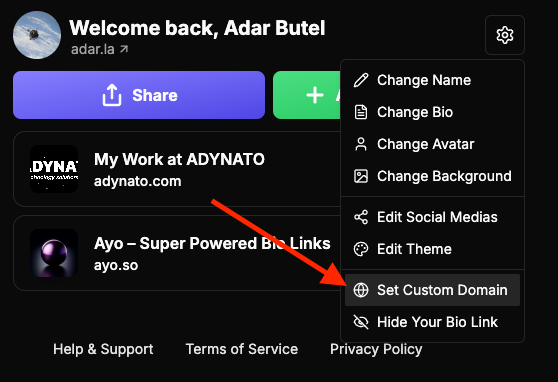
- Enter your custom domain and press the right arrow →. Do not add any slashes
/. You are connecting the whole domain or subdomain, not just an individual page.
As an example:
You are not able to connect your website with a URL such as ❌ mywebsite.com/links.
You would have to use ✅ links.mywebsite.com or just ✅ mywebsite.com due to the way internet domains work.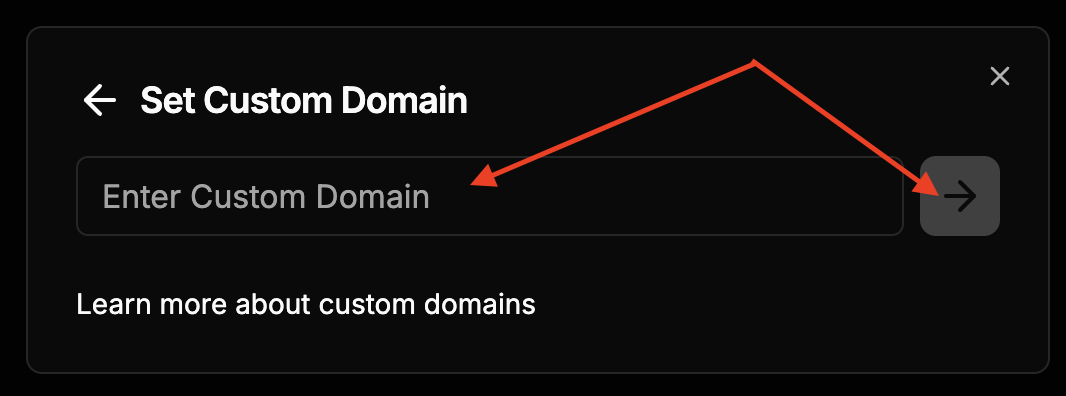
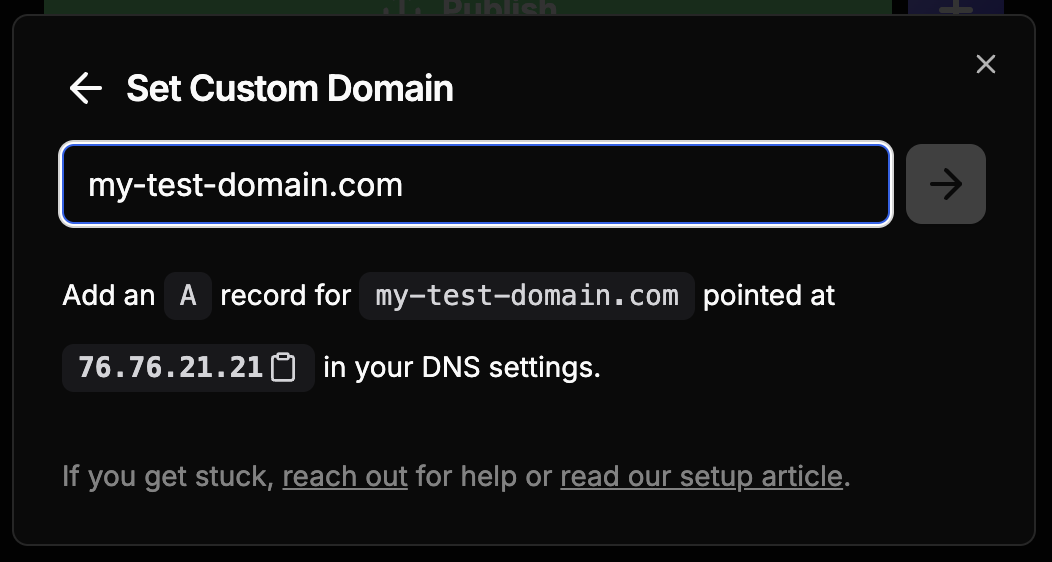
- After you press the right arrow →, you will see a message with instructions on how to connect your domain to ▲ Vercel, which is one of our hosting providers. You will need to add an A record to your domain's DNS settings wherever your domain is registered. If you need any assistance, do not hesitate to reach out for help.
- (Required if you use Cloudflare) If you use Cloudflare, you will need to disable the proxy (orange cloud) for the A record you added to avoid infinite loop problems. It is safe to disable the proxy for this record because Ayo handles all SSL connections. If you have any questions or concerns, please reach out for help and we will assist you.
